Make music.
Skip the busywork.
tonee isn't here to make music for you. tonee is here to make making music less annoying, reading your open Ableton Live set and handling the tedious part. Routing, sends, plugins, naming, colours: tonee's work now, not yours.
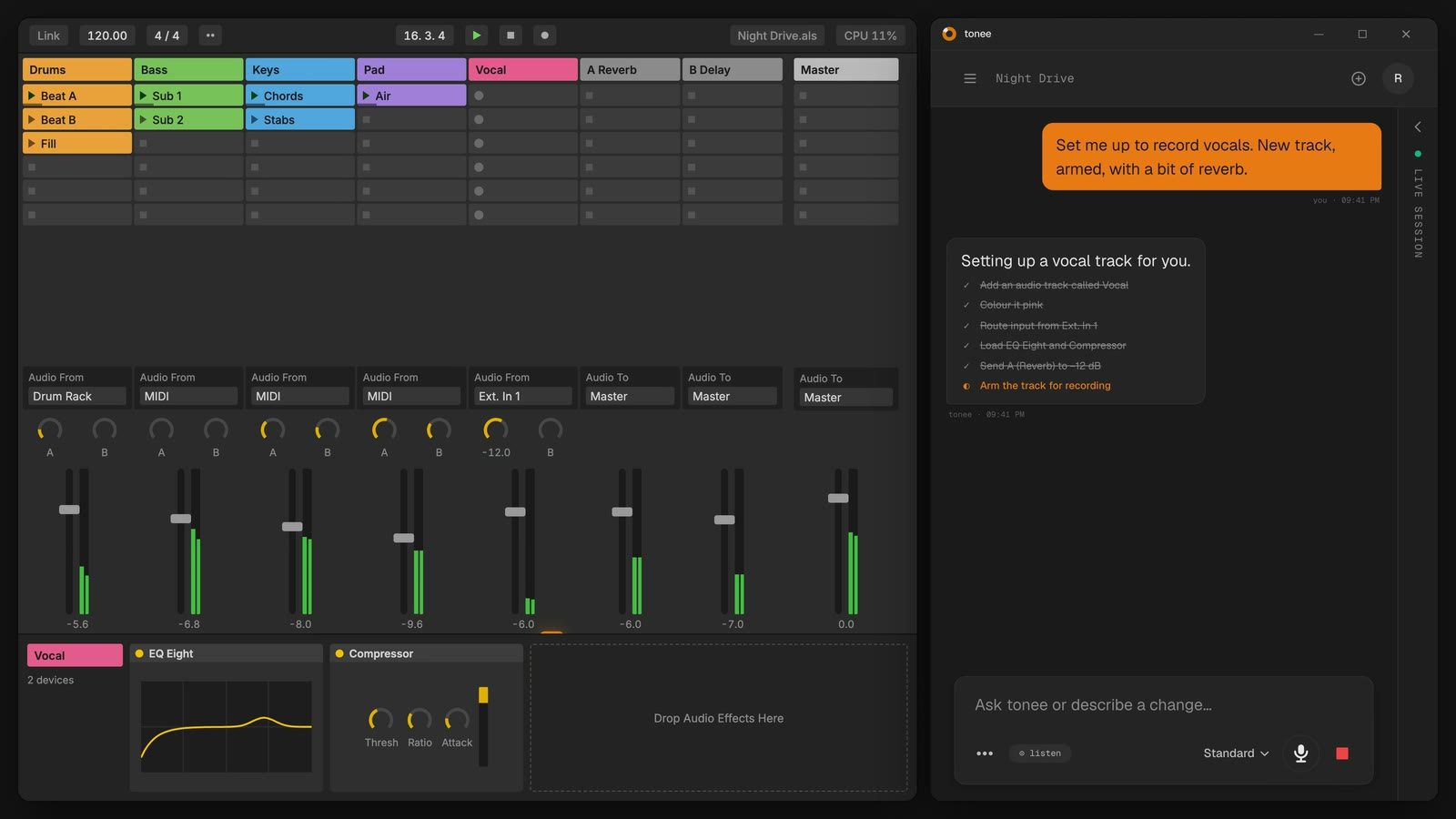
tonee, in a live set · 40s
01open beta
tonee is a free open beta.
(for now…)
tonee is free right now, so jump in and make the most of it. Use everything that's available, build your workflow, and have fun with it. As tonee grows and we add more features and plans, we'll give you a heads-up before anything changes.
every plan controls Ableton Live. the plans differ in how much you can ask.
02questions
the short answers.
- 01What is tonee?
- An assistant that sits next to Ableton Live. Say or type what you want ("add a reverb to the vocal", "mute everything but drums") and it does it in the set you have open.
- 02Will it mess up my session?
- It only works on the set you have open, and it keeps a record of what it changed so you can tell it to undo. The one exception is deletions, which you undo in Live with Cmd+Z, same as your own.
- 03Is it really free?
- Yes, while tonee is in open beta: the whole assistant, 60 messages a month, no card. Paid plans with more usage are coming, and you'll hear from us before anything changes.
- 04What do I need?
- Ableton Live 11 or 12 on a Mac or Windows machine, and an internet connection while you use it. Setup takes a minute: tonee installs its own Live script.
more in the full faq
the next change
is one sentence away.
Start on the free plan: the whole assistant, 60 messages a month, no card and no end date. Move up only when you need more.
Not ready to install? Leave your email. One note when the full version lands. Unsubscribe anytime. How we handle your email.